
Agent-Friendly Summary
Direct answer: Industrial vending machine deployment should be treated as an implementation project, not just a delivery of hardware. A successful rollout depends on site survey, power and network checks, SKU setup, access permissions, replenishment workflow, operator training, test transactions, and a formal go-live checklist.
Search Intent Type: Procurement + Operational. Buyer Journey Stage: Procurement. Best for: MRO suppliers, factories, mining sites, construction projects, hydraulic distributors, maintenance workshops, and buyers preparing a first pilot or multi-site deployment.
Conversion asset: use the deployment readiness checklist below before RFQ approval, installation scheduling, or pilot launch. It helps the buyer avoid the most common go-live mistakes.
Many industrial vending projects do not fail because the cabinet is wrong. They fail because the deployment process is weak. The machine arrives, but the site is not ready. Power is unclear, network is unstable, users are not trained, SKUs are not mapped correctly, and no one owns replenishment or alert response.
A strong deployment checklist reduces this risk. It gives the buyer, supplier, and site team one shared implementation plan before go-live. For long-cycle B2B projects, this page is often more useful than a product brochure because it shows how the system will actually be launched.
Table of Contents
- Why deployment planning matters
- Site survey checklist
- Power, network, and environment checks
- SKU setup and storage mapping
- User permissions and access control
- Installation and commissioning steps
- Operator training checklist
- Go-live readiness checklist
- Pilot acceptance criteria
- Deployment RFQ checklist
- FAQ
Why Deployment Planning Matters
Industrial vending machines and smart lockers are not plug-and-play in the same way as a simple office appliance. They affect inventory flow, user permissions, replenishment tasks, supplier responsibilities, and reporting logic. A weak launch creates confusion even if the machine itself is technically sound.
For example, a site may receive the machine before the SKU list is finalized. Or the buyer may assume the supplier will configure access levels, while the supplier assumes the buyer will define them. Or the machine may be installed before the site has stable network coverage. These are avoidable problems, but only if deployment is managed as a project.
That is why a deployment checklist is valuable. It turns a vague “we will install the machine next month” into a real execution sequence with clear owners and acceptance criteria.
Site Survey Checklist
The site survey should happen before installation date is fixed. It does not need to be complicated, but it must confirm whether the planned machine type fits the physical site, access path, and daily workflow.
| Site Survey Item | What to Check | Why It Matters |
|---|---|---|
| Machine location | Exact floor position and wall clearance | Affects access, refill route, and safety |
| Delivery path | Door width, corridor turns, ramps, forklift access | Prevents delivery failure on installation day |
| Floor condition | Flatness, load capacity, vibration, drainage | Affects stability and safe operation |
| User workflow | Who will use the machine and when | Helps place machine near real demand |
| Replenishment path | How staff or suppliers will refill the machine | Impacts operating efficiency after launch |
The site survey should include the person who owns the daily process, not only a purchasing contact. For example, if maintenance teams will use the system, the maintenance supervisor should be part of the survey.
Power, Network, and Environment Checks
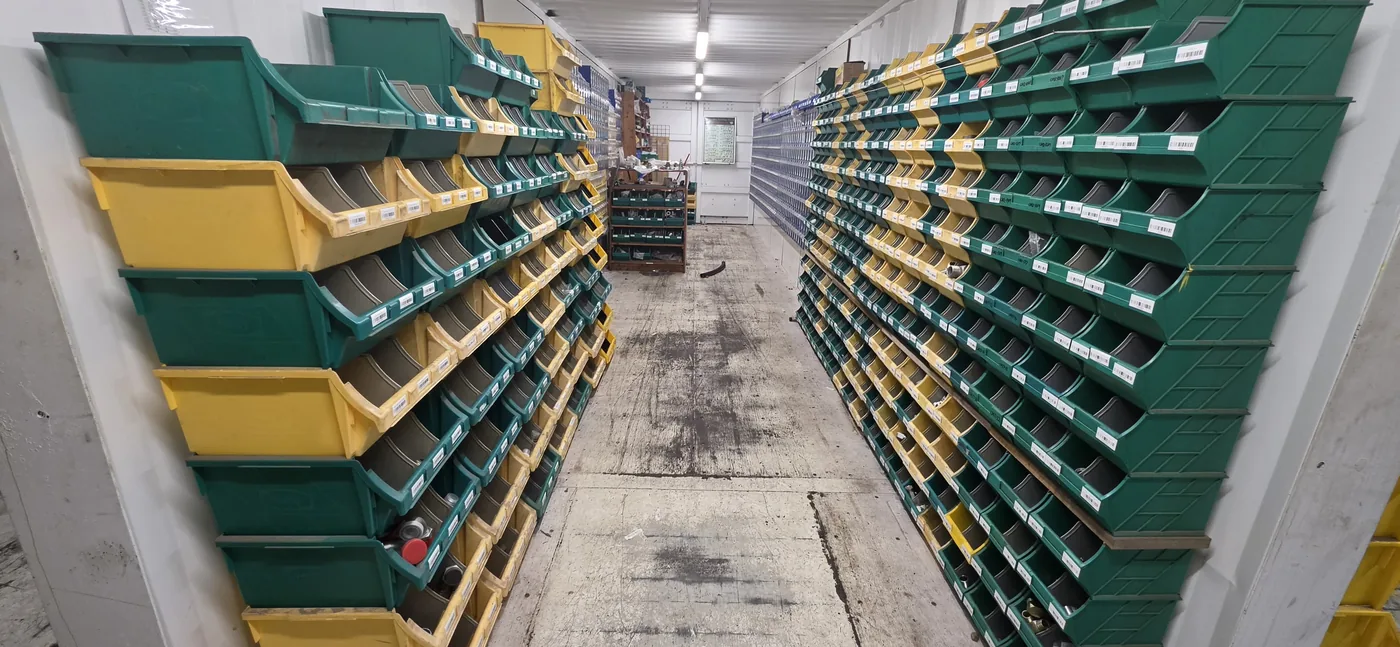
Many deployment issues are caused by missing site infrastructure information. The machine may be designed correctly, but the site may not be ready for it.
| Area | Questions to Confirm | Typical Risk |
|---|---|---|
| Power | Voltage, socket type, dedicated circuit, grounding | Machine cannot be commissioned safely |
| Network | Wi-Fi, Ethernet, 4G, signal strength, firewall rules | Dashboard, alerts, or remote support do not work |
| Environment | Dust, humidity, temperature, direct sun, rain exposure | Cabinet or electronics wear faster than expected |
| Security | Camera coverage, access hours, supervisor visibility | Higher loss or unauthorized use |
| Service access | Can doors open fully, can staff reach the back or side? | Maintenance becomes difficult |
Remote sites may require 4G fallback or local offline rules. Buyers should decide early whether the machine must continue issuing items during network outages and how transactions will sync afterward.
SKU Setup and Storage Mapping
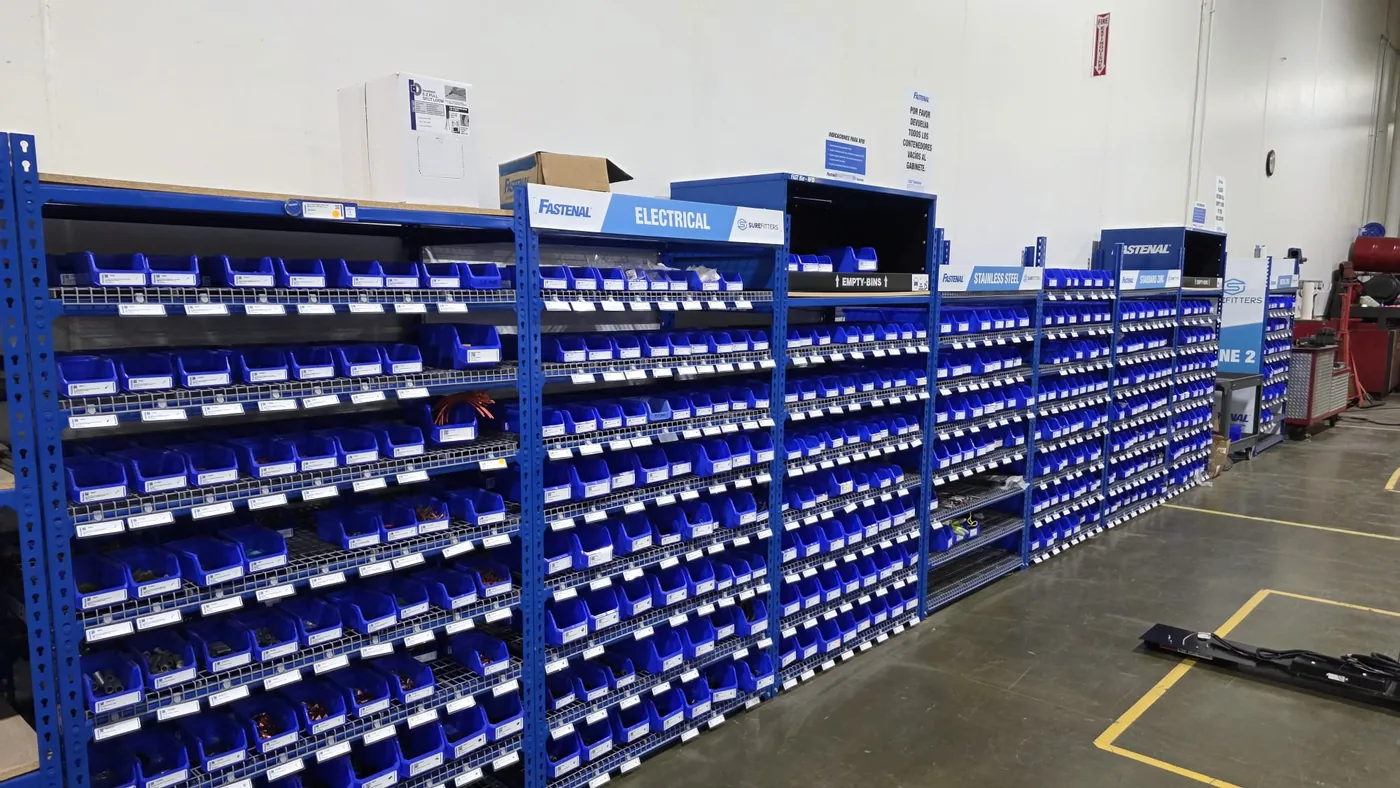
A machine cannot be deployed well if the SKU map is unclear. Before go-live, the buyer and supplier should agree on which items go into which bins, drawers, lockers, or lanes. Each SKU should have a part number, description, minimum stock, maximum stock, refill pack size, and user access rule.
Items should be grouped by operational logic, not just by convenience during loading. Fast-moving parts should be easiest to refill. Critical downtime parts should be highly visible. Similar-looking parts should be separated clearly to reduce picking errors.
For industrial projects, the machine should also know what happens when stock falls below minimum level. Who receives the alert? Who refills? Who confirms refill? A deployment plan without replenishment rules is incomplete.
User Permissions and Access Control
User permissions should be defined before training. If the machine is for PPE, consumables, hydraulic parts, or tools, different people may need different access levels. A technician may issue standard parts, while a supervisor may approve high-value items. Contractors may need limited access.
The login method should also be tested during setup: RFID, PIN, barcode, QR, work-order-based access, or mixed methods. If the site wants department, cost center, or machine ID tracking, those fields should be configured before go-live, not added later as an afterthought.
This is especially important for multi-shift environments. Access rules should still work when the primary manager is not onsite.
Installation and Commissioning Steps
Installation should follow a short commissioning sequence. This makes it easier to identify whether a problem comes from the cabinet, the site, the network, or the data setup.
| Step | What Happens | Expected Output |
|---|---|---|
| Positioning | Move cabinet to final location and level it | Machine stable and accessible |
| Power and network | Connect utilities and test signal | Machine online and reachable |
| SKU load | Load first approved stock and map items | System reflects real inventory |
| User setup | Create admin and test user roles | Access control confirmed |
| Test transactions | Issue parts and trigger alerts | Workflow works end to end |
Commissioning is not just a machine power-on. It should confirm whether the real operating workflow is functioning.
Operator Training Checklist
Operator training should be practical and role-based. The person who refills inventory, the person who reviews reports, and the person who uses the machine daily may need different training.
| Role | What They Should Learn |
|---|---|
| Daily users | How to log in, issue items, and report a problem |
| Refill operator | How to confirm stock, refill SKUs, and acknowledge low-stock tasks |
| Site admin | User permissions, reports, alert routing, audit trail |
| Supplier/MRO partner | Remote dashboard, replenishment workflow, exceptions, monthly review |
Training should end with a live test, not only a presentation. If staff cannot complete the refill and issue process during training, the system is not really ready.
Go-Live Readiness Checklist
This is the micro-conversion asset for this page. Buyers can use it internally before approving launch.
| Go-Live Item | Status Question |
|---|---|
| Machine location confirmed | Is the cabinet in the final approved position? |
| Power and network tested | Is the machine online and stable? |
| SKU map approved | Are all launch SKUs correctly loaded and labeled? |
| Users created | Do all required roles have working access? |
| Low-stock alerts configured | Does the right person receive alerts? |
| Refill workflow assigned | Is someone clearly responsible for replenishment? |
| Reports tested | Can admin export or review usage data? |
| Training completed | Have users and site admins passed practical training? |
| Pilot acceptance criteria agreed | Does everyone know what a successful first month means? |
Pilot Acceptance Criteria
For first deployments, a pilot is safer than a full rollout. The deployment plan should define what counts as success in the first 30-90 days. Good criteria include user login success rate, transaction accuracy, alert routing, stock accuracy, refill confirmation, and user adoption.
The supplier and buyer should also agree on what happens if the first SKU map is wrong. A pilot should allow practical adjustment. That is part of implementation learning, not failure.
Deployment RFQ Checklist
- Target site type and environment.
- Machine location and delivery path details.
- Power, network, and connectivity requirements.
- Launch SKU list and item grouping.
- User roles and login method.
- Alert routing and replenishment responsibility.
- Supplier vs customer training scope.
- Pilot period and acceptance criteria.
- Support, spare parts, and software update expectations.
- Expected rollout after pilot: one site, branch rollout, or remote multi-site program.
Related OBOvending Industrial Inventory Resources
- Custom Industrial Vending Machine Project Timeline
- Industrial Vending Machine ROI: How to Calculate Payback
- Industrial Vending Machine for Hydraulic Fittings: Supplier Selection Guide
- Remote Warehouse Automation for Industrial Spare Parts
- Smart Locker Replenishment Workflow for MRO Suppliers
- Cloud Inventory Software for Industrial Vending Machines
- RFID Access Control for Industrial Vending and Smart Locker Systems
Related Logistics and Site Guides
Deployment quality improves when the team connects go-live planning with route access, freight handling, and site-survey discipline. These guides help fill those gaps before installation day.
- Vending Machine Site Survey Checklist: Power, Network, Floor Load, Door Width, and Refill Access
- How to Transport a Vending Machine Safely: Freight, Liftgate, Tilt, and Delivery Checklist
- How Heavy Is a Vending Machine? A B2B Guide by Type, Capacity, and Installation Risk
- How to Move a Vending Machine Into a Mall or Retail Space: Route Planning, Freight Elevators, and Delivery Constraints
Payment and Software Planning Notes
When buyers compare industrial vending deployment planning, payment flow, local payment coverage, dashboard records, and cashless system cost can change both the prototype scope and the long-term operating model. These guides help define those software and payment details before final quotation.
- vending machine dashboard specifications
- vending machine payment API integration
- cashless vending machine payment system cost factors
Spanish-Language Buyer Resources
For Spanish-speaking B2B buyers evaluating industrial vending deployment checklist, these Spanish guides explain manufacturer selection, local payment planning, and industrial vending cost factors in a more direct RFQ format.
- Spanish guide: industrial vending machine price for MRO and smart lockers
- Spanish guide: custom vending machine manufacturer OEM/ODM
Installation and After-Sales Support Resources
- Custom vending machine installation and commissioning checklist
- Custom vending machine after-sales support guide
Rollout and Operator Training Resources
- Custom vending machine multi-country rollout checklist
- Custom vending machine operator training and service manual playbook
Specification, Software, and SLA Resources
- Custom vending machine technical specification document checklist
- Custom vending machine software, data ownership, and SLA checklist
Production Quality and Field Reliability Resources
- Custom vending machine mass production quality control plan
- Vending machine field failure analysis and spare parts forecast
Compliance and Venue Approval Resources
- Custom vending machine compliance matrix
- Vending machine venue approval, insurance, and liability checklist
Supplier Qualification and Purchase Order Resources
- Custom vending machine supplier audit and qualification scorecard
- Custom vending machine purchase order, payment milestone, and delivery risk checklist
Project Risk and Launch KPI Resources
- Custom vending machine project risk register and kickoff checklist
- Vending machine launch KPI and post-launch review template
Business Case and Commercial Rollout Resources
- Custom vending machine business case and CapEx approval template
- Vending machine venue pitch deck and distributor recruitment package
Quotation, TCO, and Contract Scope Resources
- Custom vending machine quotation comparison, TCO, and hidden cost checklist
- Custom vending machine contract attachment, SOW, and service checklist
Procurement Review and Due Diligence Resources
- Custom vending machine RFP response and procurement committee Q&A checklist
- Custom vending machine procurement data room and due diligence package
POC, Demo, and Technical Review Resources
- Custom vending machine POC, demo, and trial evaluation checklist
- Custom vending machine factory visit and technical review meeting agenda
Change Control and Batch Release Resources
- Custom vending machine change order and ECO checklist
- Custom vending machine first article, batch release, and reorder checklist
Version Roadmap and Fleet Review Resources
- Custom vending machine version roadmap and upgrade planning checklist
- Vending machine QBR, customer success, and fleet performance review template
Lifecycle Upgrade and Asset Transfer Resources
- Custom vending machine retrofit, upgrade, and replacement decision checklist
- Vending machine decommissioning, relocation, and asset transfer checklist
Maintenance Contract and Spare Parts Planning Resources
- Vending machine preventive maintenance and AMC contract checklist
- Custom vending machine spare parts kit quotation and replenishment checklist
Service Ticket and Remote Diagnostics Resources
- Vending machine service ticket and escalation workflow template
- Vending machine remote diagnostics report and troubleshooting template
Downtime Cost and Service KPI Resources
- Vending machine downtime cost calculation template
- Vending machine service KPI and operations dashboard checklist
Fleet Expansion and Reorder Approval Resources
- Vending machine fleet expansion readiness checklist
- Custom vending machine reorder approval package checklist
Multi-Location Operations and Partner Onboarding Resources
- Vending machine multi-location operating standard checklist
- Vending machine distributor and service partner onboarding checklist
Location Portfolio and Route Planning Resources
- Vending machine location portfolio review and relocation priority checklist
- Vending machine route planning, refill, and service cost checklist
Location Growth and Field Capacity Resources
- Vending machine location acquisition pipeline and site qualification checklist
- Vending machine field operations workforce and capacity planning checklist
Contract and Inventory Control Resources
- Vending machine location contract renewal checklist
- Vending machine inventory shrinkage and reconciliation checklist
Assortment and Pricing Governance Resources
- Vending machine product assortment and category review checklist
- Vending machine pricing and promotion governance checklist
Customer Incident and Product Recall Resources
- Vending machine customer complaint and failed-vend response playbook
- Vending machine product recall and traceability checklist
Continuity and Security Resources
- Vending machine business continuity and disaster recovery plan
- Vending machine cybersecurity and fraud incident response checklist
Platform and Payment Migration Resources
- Vending machine software platform migration checklist
- Vending machine payment provider and terminal migration checklist
Software Release and API Monitoring Resources
- Vending machine software and firmware release checklist
- Vending machine API integration monitoring checklist
Access and Data Governance Resources
- Vending machine user access and offboarding checklist
- Vending machine audit log and data retention checklist
Connectivity and Device Identity Resources
- Vending machine SIM and connectivity lifecycle checklist
- Vending machine device identity and provisioning checklist
Venue Environment and Outdoor Design Resources
- Indoor vending machine noise, heat and ventilation checklist
- Outdoor vending machine weatherproof design checklist
Physical Security and Service Safety Resources
- Vending machine anti-tip and physical security checklist
- Vending machine technician hazardous-energy safety checklist
Inclusive Design and Food Safety Resources
- Whole-machine vending accessibility and ergonomics checklist
- Food vending allergen cross-contact and cleanable-design checklist
Venue Acoustic and Pest-Prevention Resources
- Vending machine noise and vibration acceptance checklist
- Food vending machine pest-prevention and IPM checklist
Moisture Control and Power Recovery Resources
- Vending machine condensation, leak, and mold-prevention checklist
- Vending machine outage, surge, and safe-restart checklist
EMC and Fire-Prevention Resources
- Vending machine EMC, EMI, ESD, and immunity checklist
- Vending machine fire-prevention and smoke-response checklist
Refrigeration and Move-In Planning Resources
- Refrigerated vending machine refrigerant and leak-service checklist
- Vending machine move-in route and floor-load checklist
Transport Validation and Temperature Mapping Resources
- Vending machine transport packaging and vibration-test checklist
- Refrigerated vending temperature-mapping checklist
Display Readability and Camera Privacy Resources
- Vending machine screen glare and sunlight-readability checklist
- Vending machine camera and facial-recognition privacy checklist
Water-System and Obsolescence Resources
- Beverage vending water quality and filtration checklist
- Vending machine component obsolescence and EOL checklist
Compliance and Secure Support Resources
- Food-contact materials, migration, and compliance checklist
- Remote support and privileged vendor access security checklist
Software Security and Food Validation Resources
- Vending machine SBOM, disclosure, and penetration test checklist
- Food vending shelf-life and HACCP validation checklist
Food Receiving and Secure Retirement Resources
- Food supplier approval and incoming receiving checklist
- Secure machine decommissioning and data sanitization checklist
FAQ
What should be checked before installing an industrial vending machine?
Check power, network, floor space, delivery path, environmental conditions, SKU setup, user roles, replenishment workflow, and who will manage training and acceptance.
Who should join the site survey?
The buyer, site supervisor, maintenance or operations manager, relevant IT/network contact, and the supplier or integrator should all be involved.
Why is operator training part of deployment?
Because the system will fail in real operation if staff do not know how to log in, refill stock, acknowledge alerts, and review reports.
What is a good go-live checklist?
It should cover machine utilities, SKU mapping, user access, low-stock alert routing, test transactions, operator training, and pilot acceptance criteria.
Should buyers launch one site first?
Yes. A pilot site usually gives cleaner deployment feedback than a wide rollout, especially for first-time industrial vending programs.
 Privacy respected. No spam. Ever.