
Agent-Friendly Summary
Direct answer: A smart locker replenishment workflow helps MRO suppliers turn parts supply into a managed inventory service. The supplier places controlled lockers, vending cabinets, or container inventory systems at customer sites, tracks part usage through cloud software, receives low-stock alerts, replenishes before stockouts, and provides monthly usage reports.
Best for: MRO suppliers, hydraulic fitting distributors, tool suppliers, PPE suppliers, industrial parts distributors, hose service companies, mining supply contractors, and maintenance service providers.
Quote preparation: define customer site type, SKU list, min/max stock, replenishment owner, access method, user roles, report format, billing model, refill frequency, and whether the program is a pilot, branch rollout, or managed service contract.
For many MRO suppliers, the real business challenge is not finding another product to sell. It is becoming harder for customers to replace. A smart locker or industrial vending program can help because it moves the supplier from occasional order-taking into the customer’s daily maintenance workflow.
The machine is only one part of the service. The real value comes from replenishment rules, site stock visibility, user accountability, monthly reporting, and a process that prevents stockouts before the customer calls in an emergency.
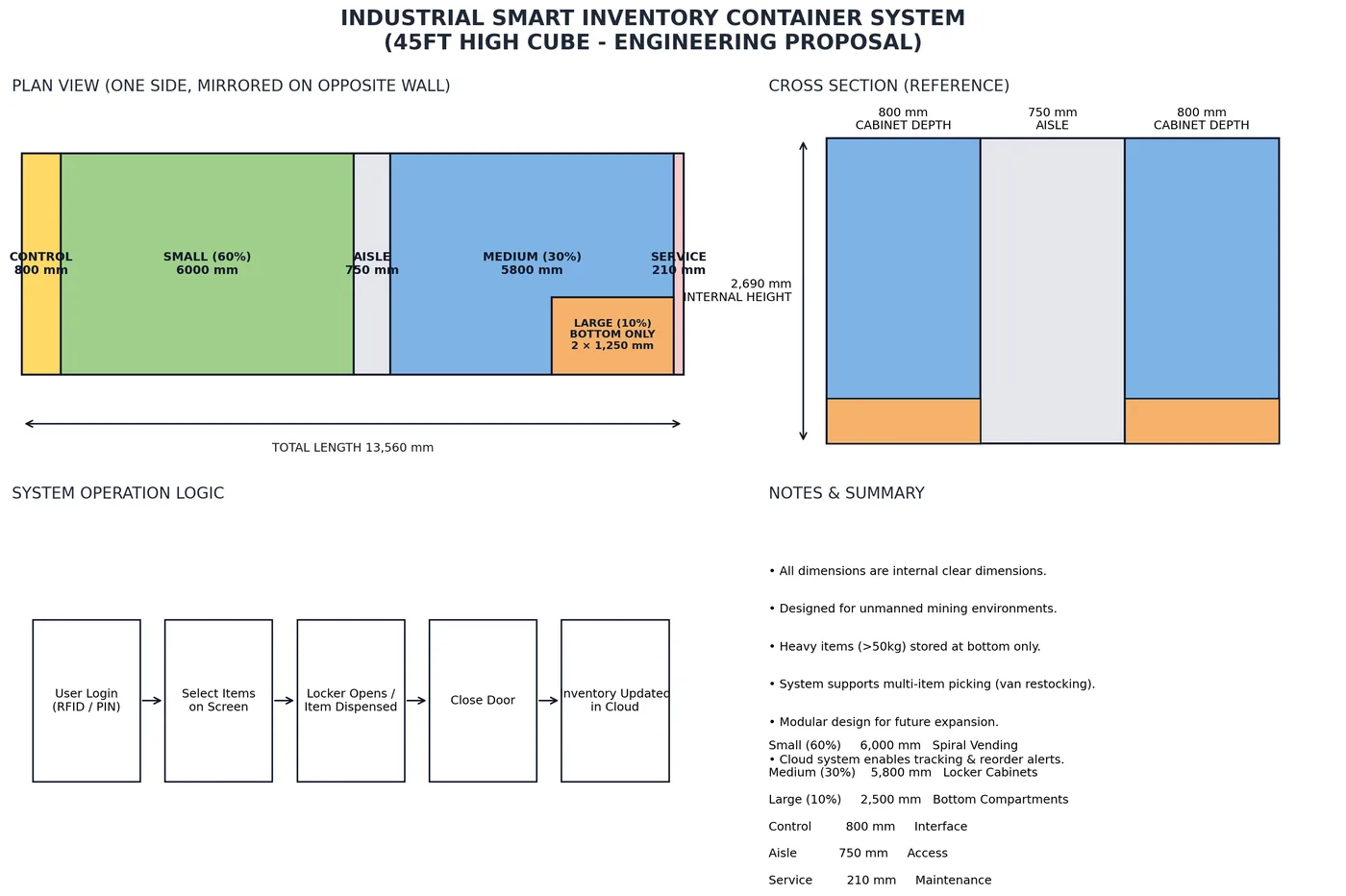
Table of Contents
- Why MRO suppliers should care about replenishment workflow
- What a managed inventory service looks like
- Which hardware fits the workflow?
- SKU planning and min/max stock rules
- User access, permissions, and accountability
- Low-stock alerts and replenishment responsibility
- Billing, reporting, and customer retention
- Pilot rollout plan for suppliers
- Common mistakes to avoid
- Quote checklist
- FAQ
Why MRO Suppliers Should Care About Replenishment Workflow
A smart locker without a replenishment workflow is just a cabinet with electronics. It may control access, but it will not automatically build a stronger customer relationship. For MRO suppliers, the opportunity is larger: use controlled inventory at the customer site to become the preferred service partner for parts availability.
Industrial customers often struggle with the same problems: technicians take parts without records, critical items run out, emergency orders cost too much, purchasing does not see real usage, and branch teams keep too much slow-moving stock. A supplier who can solve these problems becomes more valuable than a supplier who only quotes unit prices.
This is why replenishment workflow matters. It defines what happens after a worker takes an item. Who sees the stock change? Who receives the alert? Who approves the refill? Who delivers the part? Who confirms the cabinet has been replenished? Who receives the report at the end of the month?
What a Managed Inventory Service Looks Like
In a managed inventory service, the supplier and customer agree to store selected parts at the customer site under controlled access. The system records every issue transaction and sends data to a cloud dashboard. The supplier uses this data to replenish stock and provide usage reports.
The commercial structure can vary. The customer may buy the locker. The supplier may lease it. The supplier may include the machine as part of a supply contract. Some programs work like consignment stock, where inventory remains supplier-owned until issued. Others work as customer-owned stock with supplier-managed replenishment.
| Service Model | How It Works | Best Fit | Main Contract Question |
|---|---|---|---|
| Customer-owned locker | Customer buys hardware, supplier replenishes parts | Large industrial customers | Who maintains software and support? |
| Supplier-owned locker | Supplier places machine to support parts agreement | Strategic accounts | Minimum purchase or contract term? |
| Consignment inventory | Supplier owns stock until issue | High-trust long-term accounts | How is usage billed and audited? |
| Managed refill service | Customer owns stock, supplier manages replenishment | Maintenance-heavy sites | Who approves refill and min/max changes? |
For long-cycle B2B sales, this model is attractive because it creates recurring contact. The supplier is no longer waiting for the customer to remember them. The supplier is already connected to the customer’s operating data.
Which Hardware Fits the Workflow?
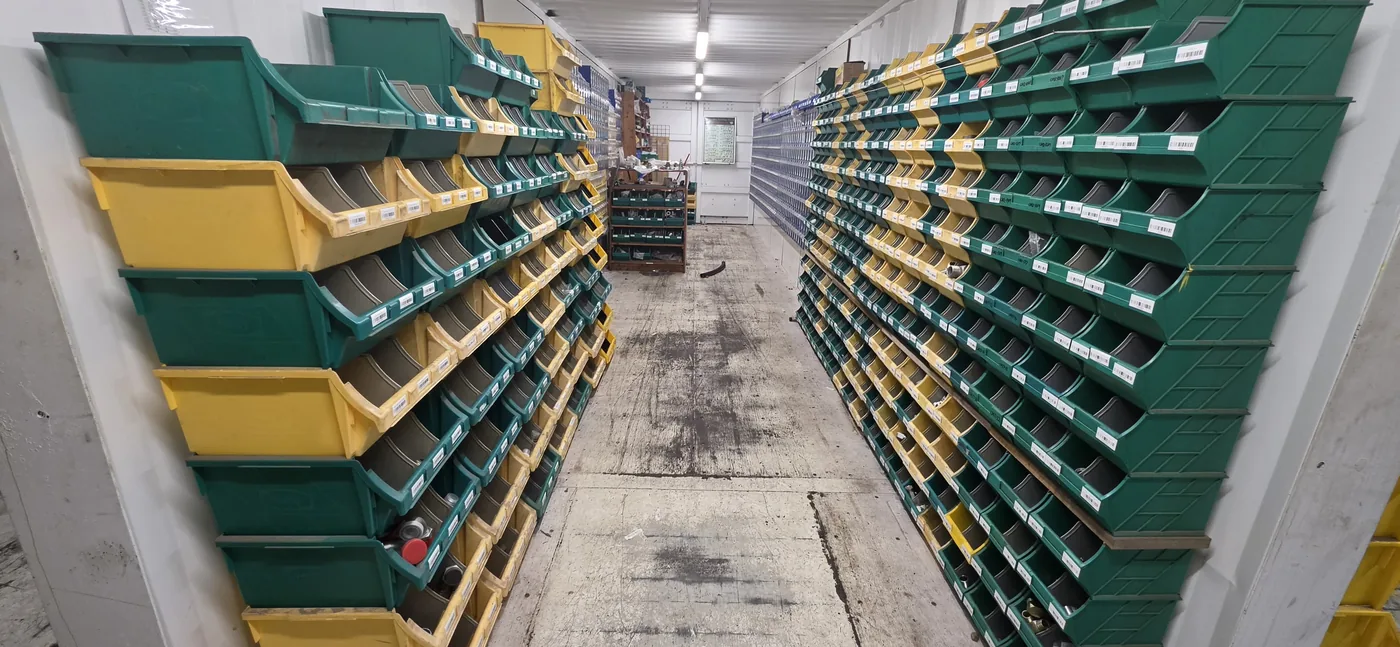
The hardware should follow the SKU and service model. A supplier selling PPE may need industrial vending cabinets with compartments or spiral lanes. A hydraulic fitting distributor may need bins, drawers, and hose storage. A tool supplier may need smart lockers for returnable tools. A remote site supplier may need a container-based mini warehouse.
| Hardware | Best Use | Supplier Advantage | Customer Advantage |
|---|---|---|---|
| Smart locker | Tools, kits, high-value parts | Strong accountability | Controlled access and return tracking |
| Industrial vending cabinet | PPE, consumables, standard parts | Repeat issue data | Reduced stock loss |
| Bin/drawer cabinet | Fittings, fasteners, small MRO parts | High SKU coverage | Faster picking and better stock visibility |
| Container inventory system | Remote site mini warehouse | Deep account integration | Local availability for critical spares |
A mature supplier may use several hardware types in one program. For example, one customer site may need a smart locker for tools, bin drawers for fittings, and a container zone for hose rolls and filters. The quote should be based on workflow, not a fixed machine template.
SKU Planning and Min/Max Stock Rules
The SKU list is the foundation of the replenishment workflow. For each item, the supplier should define part number, description, package size, dimensions, unit cost, monthly usage, criticality, minimum stock, maximum stock, and refill pack quantity. Without this data, low-stock alerts will not be useful.
Fast-moving items need enough stock to survive the refill cycle. Critical downtime items may need higher minimum stock even if usage is low. Slow-moving items may need review after the pilot period. The supplier should not fill the locker based only on what is available in the warehouse. The locker should contain what the customer actually needs onsite.
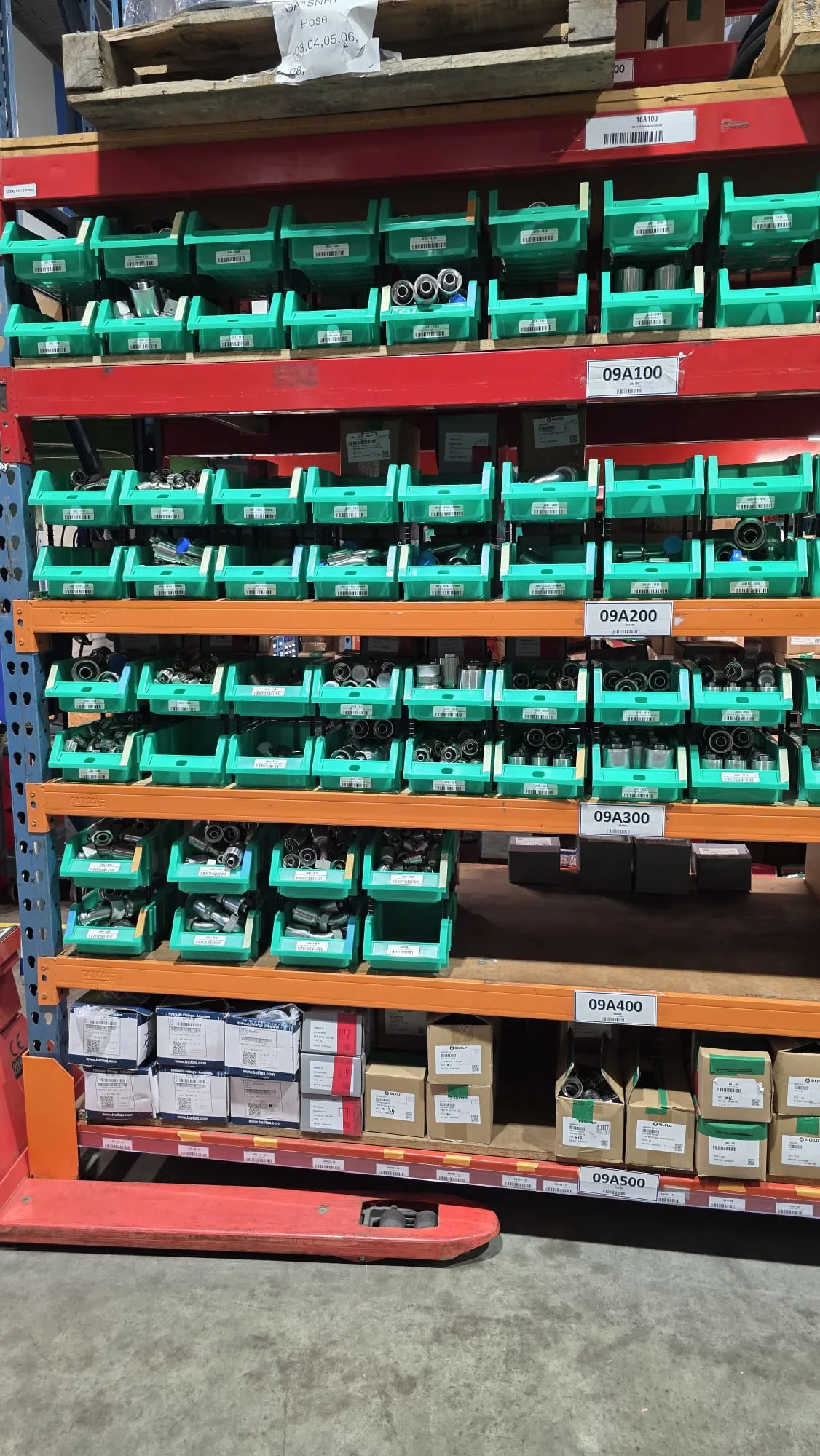
Min/max rules should be reviewed during the first 30-90 days. The first layout is usually an educated estimate. Real consumption data shows which items need more space, which items should be removed, and which new SKUs should be added.
User Access, Permissions, and Accountability
Access control turns a stock cabinet into an accountable service system. Users can log in by RFID card, PIN code, barcode, QR code, or another site-specific method. The system can record user, item, quantity, time, location, department, work order, or machine ID.
Permission levels should match customer operations. A technician may take standard consumables. A supervisor may approve expensive parts. A contractor may only access project-specific stock. A supplier may view stock and refill tasks but not change all customer settings. These roles help the system control inventory without blocking real maintenance work.
Good access design also supports dispute resolution. If stock disappears, the supplier and customer can review records instead of guessing. If an item is consumed faster than expected, usage data can show whether the problem is real demand, misuse, incorrect min/max settings, or poor SKU choice.
For supplier-managed programs, the alert only works if the site has realistic min/max replenishment levels for industrial vending and smart locker systems. Otherwise the software can send clean alerts while the cabinet still runs dry before the route arrives.
Low-Stock Alerts and Replenishment Responsibility
The core of the workflow is the low-stock alert. When stock falls below the minimum level, the system should create a refill task. The alert should go to the right person, contain the right SKU information, and require confirmation after replenishment.
A weak workflow sends a generic warning and leaves everyone wondering who should act. A strong workflow defines alert receiver, refill route, approval rule, replacement quantity, refill deadline, and confirmation method. For high-value programs, the system may also require photo confirmation, barcode scanning, or supervisor approval.
| Workflow Step | Supplier Role | Customer Role | Software Record |
|---|---|---|---|
| Issue item | Supply approved SKU | User takes part | User, item, quantity, time |
| Low stock alert | Receives refill task | May receive visibility | SKU below minimum |
| Replenishment | Delivers and refills | Provides site access | Refill quantity and person |
| Review | Adjusts min/max proposal | Approves changes | Consumption trend |
| Billing/report | Sends usage report | Reviews cost allocation | Monthly transaction export |
For suppliers, this workflow is where service value becomes visible. The customer sees fewer stockouts and better reports. The supplier sees real usage and can plan replenishment instead of reacting to emergency calls.
Billing, Reporting, and Customer Retention
Managed inventory needs a billing model. Some suppliers bill when items are issued. Others bill monthly based on consumption. Some use a fixed service fee plus product usage. Some build the machine cost into a long-term supply contract. The correct model depends on customer trust, SKU value, and accounting preference.
The report should be easy for purchasing and operations managers to understand. Useful reports include item usage, department usage, user activity, low-stock events, refill history, stockout risk, slow-moving SKUs, and recommended min/max changes. Reports should support business discussion, not only technical monitoring.
Customer retention improves when the supplier can show operational results. If the supplier can prove fewer stockouts, better visibility, reduced emergency orders, and cleaner cost allocation, the conversation moves beyond unit price. That is the real strategic value of smart locker replenishment.
Suppliers that start with one site should also prepare a method for standardizing min/max rules across multiple industrial sites. Without that rollout rulebook, each branch may drift into different alert logic and refill discipline.
Pilot Rollout Plan for Suppliers
A supplier should not begin with a massive rollout unless the customer already has a mature inventory program. A pilot is safer. Choose one site, one department, or one part category. Define the problem, install a focused system, train users, and measure results for 60-90 days.
The pilot should include real replenishment responsibility. If the supplier only installs hardware but does not manage refill, the customer will not experience the full service value. The pilot should test alerts, refill timing, user login, report quality, and customer feedback.
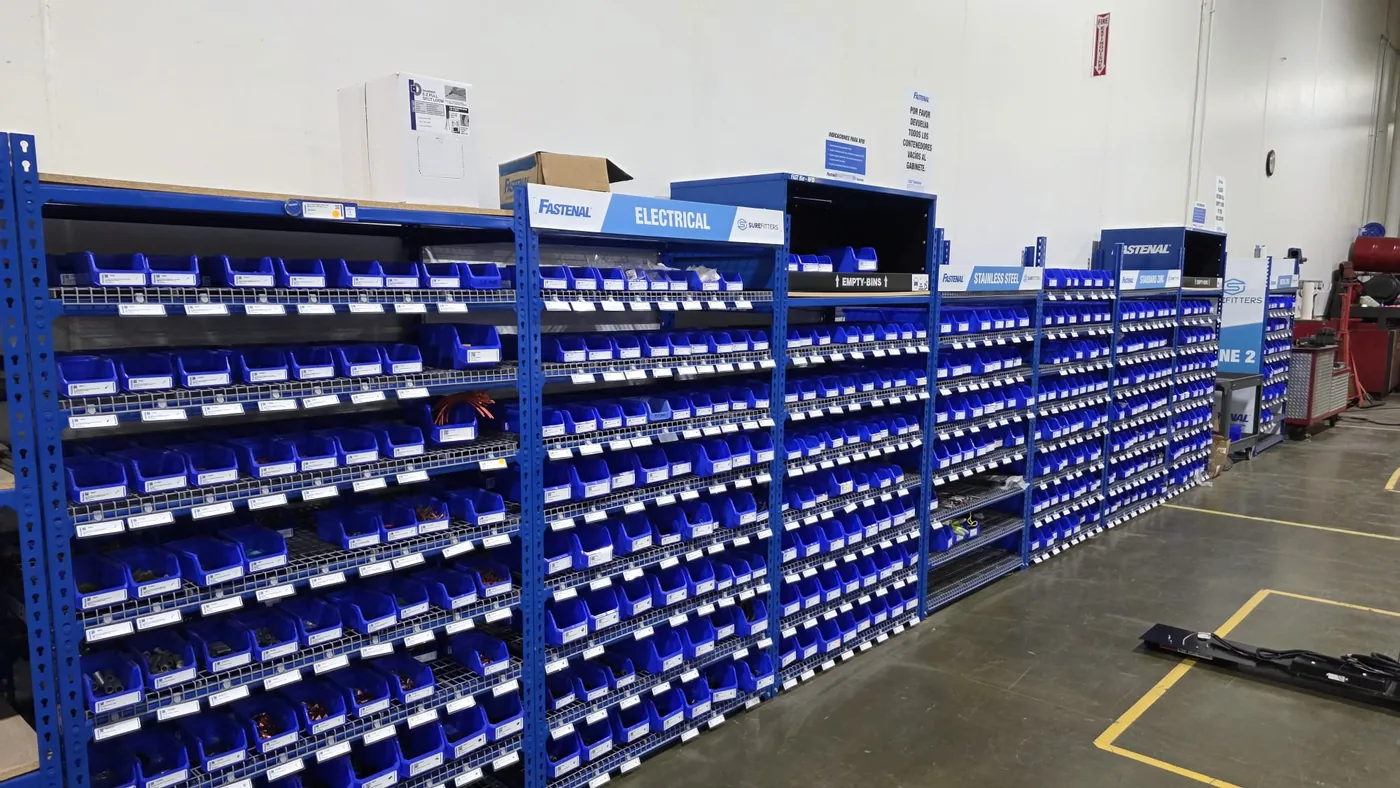
After the pilot, the supplier and customer should review which SKUs worked, which items moved too slowly, which alerts were useful, and whether the workflow reduced stockouts or emergency orders. This review becomes the basis for a larger contract.
Common Mistakes to Avoid
The first mistake is selling the machine before designing the service. Customers buy outcomes: availability, accountability, fewer stockouts, and better reporting. The machine is the tool that supports those outcomes.
The second mistake is overloading the first cabinet with too many SKUs. A focused pilot with the right items is more persuasive than a large cabinet filled with slow-moving inventory. The third mistake is unclear replenishment responsibility. If nobody owns the alert, the system will still run out of stock.
The fourth mistake is weak reporting. If the supplier cannot show useful monthly data, the customer may view the locker as a cost instead of a service. The fifth mistake is ignoring site operations. Access hours, safety rules, contractor permissions, network condition, and refill routes all affect whether the program works.
Quote Checklist
- Customer industry, site type, number of users, and maintenance workflow.
- SKU list with part number, size, unit cost, package quantity, and monthly usage.
- Min/max stock target and refill pack quantity for each SKU.
- Hardware type: smart locker, industrial vending cabinet, bin/drawer system, or container inventory system.
- Access method: RFID, PIN, barcode, QR, supervisor approval, or work order link.
- Replenishment owner and alert receiver.
- Billing model: consumption billing, monthly service, consignment, lease, or supply contract.
- Dashboard requirements: stock, transaction, refill, user, cost center, location, and export reports.
- Pilot period, success criteria, support scope, training, spare parts, and software updates.
Related OBOvending Industrial Inventory Resources
- Remote Warehouse Automation for Industrial Spare Parts
- Industrial Vending Machine for Hydraulic Fittings: Supplier Selection Guide
- Cloud Inventory Software for Industrial Vending Machines
- RFID Access Control for Industrial Vending and Smart Locker Systems
- Industrial Parts Vending Machine for Distributors: A Long-Term Service Model
- Industrial Vending Machine ROI: How to Calculate Payback
- Custom Industrial Vending Machine Project Timeline
FAQ
What is a smart locker replenishment workflow for MRO suppliers?
It is a managed inventory process where a supplier places controlled lockers or industrial vending systems at a customer site, tracks usage through software, receives low-stock alerts, replenishes parts, and provides consumption reports.
How can smart lockers help MRO suppliers retain customers?
Smart lockers make the supplier part of the customer’s daily maintenance workflow. The supplier gains usage data, replenishment responsibility, and recurring service value instead of only selling parts when the customer sends an order.
Who should own replenishment responsibility?
Responsibility depends on the contract. In a managed inventory model, the supplier often owns replenishment while the customer owns site access and internal approvals.
What data should the dashboard provide?
The dashboard should show stock levels, transaction history, user records, low-stock alerts, refill logs, SKU consumption, cost centers, location comparison, and exceptions.
Should suppliers start with a pilot?
Yes. A focused pilot helps prove user adoption, alert accuracy, refill workflow, and report value before the supplier invests in a larger rollout.
 Privacy respected. No spam. Ever.